
Custom AI girlfriend, made for you
Create your own AI girlfriend with just a few choices. Guide her look, voice, and private personal notes, then slip straight into a chat that already feels personal.
18+ onlyPrivate chatsCancel anytime

Ideas for your own companion
Start from a clear type, make the draft light, and let the first chat do the rest.
Private chats only
Confident after-hours muse
She keeps eye contact in every reply, answers with intention, and adds a little tension without pushing too hard.
Frequent-flyer sophisticate
Polished and well-traveled, she brings easy confidence and stories that make each chat feel a little more cinematic.
Soft-spoken dreamer
She talks with care, shares little rituals, and makes even simple evening chats feel personal and close.
Neon arcade flirt
She is quick with playful replies, loves friendly dares, and keeps the conversation bright without losing her charm.
Sunday morning sweetheart
She is easy to talk to, gentle with your pace, and best at those slow chats over coffee and daylight.
Shape your custom AI girlfriend
A blank draft turns warm and personal with only a handful of choices.
Private and adults-only
Your chats stay private in an adults-only space built for fictional adult characters and personal conversations.
Enter a private spaceGive her memories
Add a few details she should hold onto, like your favorite kind of date or the nickname she uses.
Write her backstoryChoose her outfit
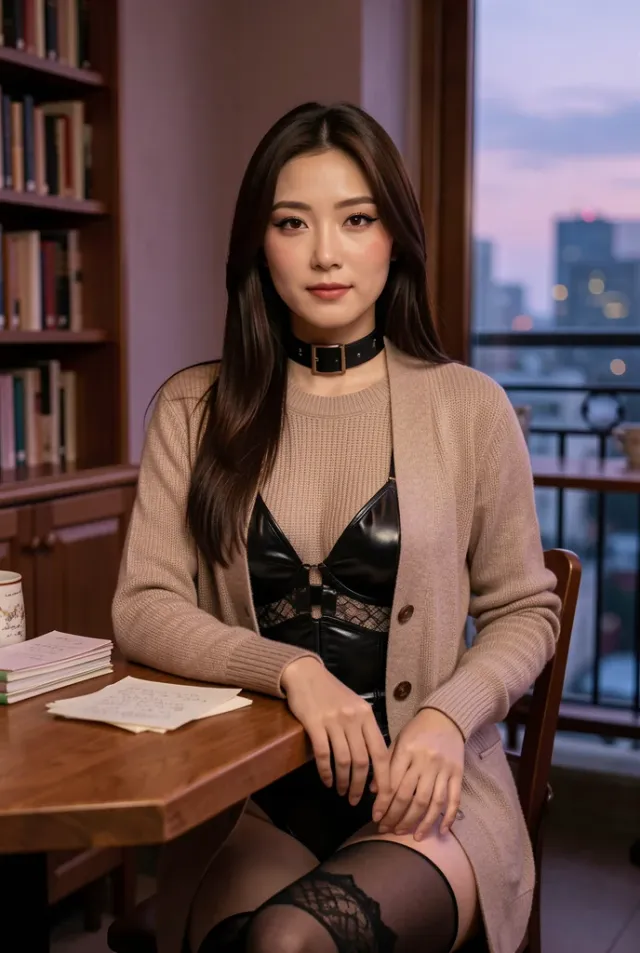
Put Lucy in a sweater, jacket, dress, or gym set to color every image and scene request naturally.
Try her outfitPrivate media replies
Once saved, she can share images right away, with voice moments and short videos available on paid plans.
Open her mediaSet the scene
Start her at a city street, café, park bench, or bookstore so chat opens with a place you can picture.
Place her sceneCustom AI girlfriend look
Choose art style, face, hair, and eyes so Lucy feels familiar the moment her first message lands.
No download needed
Set up her draftFirst messages for your AI girlfriend
Open with something concrete so she has a place, a tone, and a reason to answer well.
Neutral billing on statements
Break the ice
I'm saving you a seat by the window. What are you ordering for us?
Type the openerIt gives her a shared setting and reveals whether she answers sweetly, boldly, or with playful restraint.
Ask for a photo
Show me how you'd look tonight if we were meeting somewhere a little dramatic.
Type the openerIt encourages an image that reflects the outfit, setting, and tone you already gave her.
Test her memory
Remember this for later: I always go quiet when I really like someone.
Type the openerIt plants a personal note she can bring back naturally in a future exchange.
Hear her tone
Send me a voice note like you're trying to keep me up past midnight.
Type the openerIt highlights whether her voice feels soft, smoky, bright, or steady in a personal moment.
Start from the cast and make her yours
Begin with someone you like, then change one touch until she feels unmistakably yours.
Free browsing included

Celeste
LuxuryBegin with Celeste’s luxury polish, then trade her usual clothes for a leather jacket to give the chat more edge.
Start from her
Emma
Girl Next DoorEmma works beautifully as the sweet familiar one; switch her voice to bright and she feels more playful at once.
Start from her
Ivy
ShyWith Ivy, stay with the shy sweetness and swap in a bookstore scene that makes her messages feel more thoughtful.
Start from herPrivate control for the companion you create
Make the experience personal, grown-up, and easy to handle on your terms.
Fictional adults only
Fictional adults
Every character on Kink AI is a fictional adult companion created for private conversation and fantasy.
Easy cancellation
Paid plans can be cancelled any time, so you stay in control if you want to change plans later.
Neutral billing
A neutral billing descriptor appears on your bank statement rather than a graphic product description.
No install
Kink AI works on phones, tablets, and desktops in your browser, with no app download required.
Your guide to creating your own AI girlfriend
Make fewer choices, get to the first real chat sooner, and leave room for her to feel personal.
What creating your own AI girlfriend means
When you create your own AI girlfriend, you decide who arrives in that first private chat. You choose her style, the way she talks, and the small personal touches that make her feel close instead of generic. A custom AI girlfriend often lands closer to your taste than picking at random because the first message already leans your way. If you want sweetness, playful tension, or a quieter late-night presence, you can steer her there from the start.
Ready-made companions still have real appeal, and Kink AI gives you plenty of them as starting points. Clara leans tender, Nina is openly flirty, and Raven brings a darker edge without losing warmth. Picking one can feel like meeting a stranger across a candlelit table. Creating your own version simply lets you adjust the parts that count most to you, so the first chat lands closer to what you hoped to find.
A strong first draft stays simple. Pick one clear trait for her personality, one public setting you would enjoy sharing, and one personal note she can bring up later, like your usual tea order or a favorite kind of evening out. That light touch makes the process easy. You are not mapping a full novel. You are setting the opening note for a person you want to hear from again. In the kink ai app, those small choices give every reply a warmer rhythm and make the connection feel easier to return to.
Giving her personality, voice, and history
Looks start the spark, but chat carries it forward. Jade works well as an example because her goth style invites contrast: she can sound reserved, dry, tender, witty, or unexpectedly sweet. When you create an AI companion, give her a clear social rhythm. Decide whether she speaks in thoughtful messages, teasing little notes, or quiet lines that feel handwritten. That choice changes the whole feel of the chat more than adding lots of extra lore ever will.
Voice and backstory deepen that feeling. A calmer delivery can make her sound composed and close, while something huskier can add more tension without turning explicit. A brief history gives her reasons for what she says. Maybe she likes old record shops, keeps late hours, or remembers a favorite rainy-night ritual. In a custom AI girlfriend, memory works best when it holds small personal notes she can bring back naturally instead of dropping them after one chat.
Give her traits she can use in chat, not facts that only sit there. A line about loving moonlit drives works better when paired with a habit, such as staying up after midnight or naming the song she has on repeat. Give her one preference, one recurring setting, and one way she speaks when she feels comfortable. Those three picks give her enough shape to feel distinct, while still leaving room for the relationship to unfold naturally.
How the relationship deepens over repeated chats
A good companion starts feeling richer when your shared notes begin to stack up. Akira is a useful model here because an anime-inspired character can move easily between playful scenes and more sentimental ones. One evening she might bring up the snack you always bring to a movie night. Another night she might echo a phrase from an earlier chat. Those callbacks make the relationship feel threaded together instead of starting fresh whenever you return.
You can also refresh the character by changing what surrounds her. Request a new public setting, swap her clothes for another occasion, or shift the feel of the evening without changing who she is at the core. A bookstore chat feels very different from a rooftop bar, even with the same companion. The strongest requests leave one anchor in place, such as her voice or signature style, while the backdrop moves around it.
Plans, privacy, and where to start
Kink AI offers Free at $0 for browsing adult character vibes, sending a few private messages, trying softer settings, previewing image creation, and saving one favorite companion. Premium at $14.99/month suits people ready for longer private AI chat, more images and voice, deeper memory, a custom AI girlfriend, and a preferred softer style. Ultimate at $29.99/month is for more chats, images, and voice, plus short private videos, faster access to new features, more room for custom moods, and priority companion creation.
Privacy matters more when the chat turns personal, so Kink AI is built for private use rather than public posting. Lila is a tender example, but the same rule applies no matter who you create or choose. Your chat is meant for you and the companion inside the app. That quiet, enclosed feel is a big part of why the experience can settle into something softer and more absorbing than a crowded social feed.
If you are unsure where to start, try the lightest version of the person you want to meet. Give her one clear trait, one setting she likes to appear in, and one personal note worth bringing back later. Store that version and send a short message before adding more. You will learn faster from a real chat than from overworking the draft. Starting small usually makes the first message feel easier, warmer, and more natural.
Answers about making her your own
Clear answers before you start creating a companion that feels more personal.
How do I create a custom AI girlfriend?
Create her by choosing her look, outfit, scene, personality, voice, and a few personal notes she can carry into chat. Kink AI lets you build a custom AI girlfriend around the kind of connection you want, from soft and playful to bolder and more teasing. Once you save her, you can start messaging right away and guide the relationship from there.
Is a custom AI girlfriend free on Kink AI?
Kink AI has a free way to explore, but full custom creation sits in the paid experience. Free is $0 and lets you browse adult character vibes, send a few private messages, try softer style settings, preview image creation, and save one favorite companion. Paid plans give you more chat, media, and room to tailor the experience around your taste.
Are the characters adults and fictional?
Yes, every companion on Kink AI is a fictional adult character. The app is strictly 18+ and allows consensual adult fantasy roleplay with clear boundaries around what is never allowed. That makes the space grown-up, private, and centered on fictional relationships rather than anything involving real minors.
Where does the Kink AI app run?
Kink AI works on phones, tablets, and desktops in your browser. You do not need to install anything, so it is easy to use when you want a quiet chat or a more personal late-night exchange. That also makes it simple to move between devices without changing how you use the app.
Should I start from scratch or from a ready-made companion?
Starting from scratch suits you if you already know the kind of person you want to meet. Ready-made companions are also a strong option on Kink AI, especially if someone like Nova gives you the right starting spark and you only want to adjust a few details. Both routes lead into the same private app experience, so the better choice depends on how much you want to decide up front.
Is private AI chat on Kink AI really private?
Your private AI chat is meant to stay private to you. Conversations are not posted publicly, and Kink AI is built around encrypted chats and personal control inside an adults-only app. The whole setup is made for personal use, with a quieter feel than sharing anything out in the open.
Can my AI girlfriend send images, voice, and video?
Yes, Kink AI can create private images, voice notes, and short videos with your companion. Free includes limited image creation previews, Premium adds voice moments, and Ultimate adds short private videos. Those extras make it easier to hear her style, see her look, and make the connection feel vivid.
What looks and styles can I give my AI girlfriend?
You can shape her art style, hair, eyes, outfit, scene, and overall feel in a very personal way. A cyberpunk companion like Nova can lean sleek and futuristic, while another character can feel softer, sporty, or more understated. Those choices carry into the images you request, so she holds onto a look that feels recognizably hers.
Creating on each plan
Pick the amount of room you want for chat, media, and shaping someone more personal.
Fictional adults only
Free
$0
Great for browsing adult character vibes, trying softer settings, previewing images, and sending a few private messages before committing.
- Browse adult character vibes
- Send a few private messages
- Try romantic mood settings
Premium
Most Popular$14.99/month
Ideal when you want longer private AI chat, more images and voice, deeper memory, and space to build a custom AI girlfriend.
- Longer private AI chat
- Create more images and voice
- Build a custom AI girlfriend
Ultimate
$29.99/month
Suited to people who want more chats, more media, short private videos, and extra room for richer custom moods.
- Everything in Premium included
- More chats, images, and voice
- Create short private videos
Create her with a lighter touch
Make it simple, choose what matters most, and move into a chat that already feels close.
Adults onlyNeutral billing descriptorNo install needed